
See it, analyze it,
act on it.

Once NAO® Track computes location, the NAO® software layer turns it into something teams can use every day - a live map, flow analytics, occupancy counts, and the platform that orchestrates it all.

Definition

The NAO® software applications are the layer that consumes and operationalizes indoor-location data: NAO® Viewer (visualization & supervision), NAO® Flow (flow analytics), NAO® Counting (occupancy), all orchestrated by the NAO® Cloud platform - available on-premise as NAO® Server.
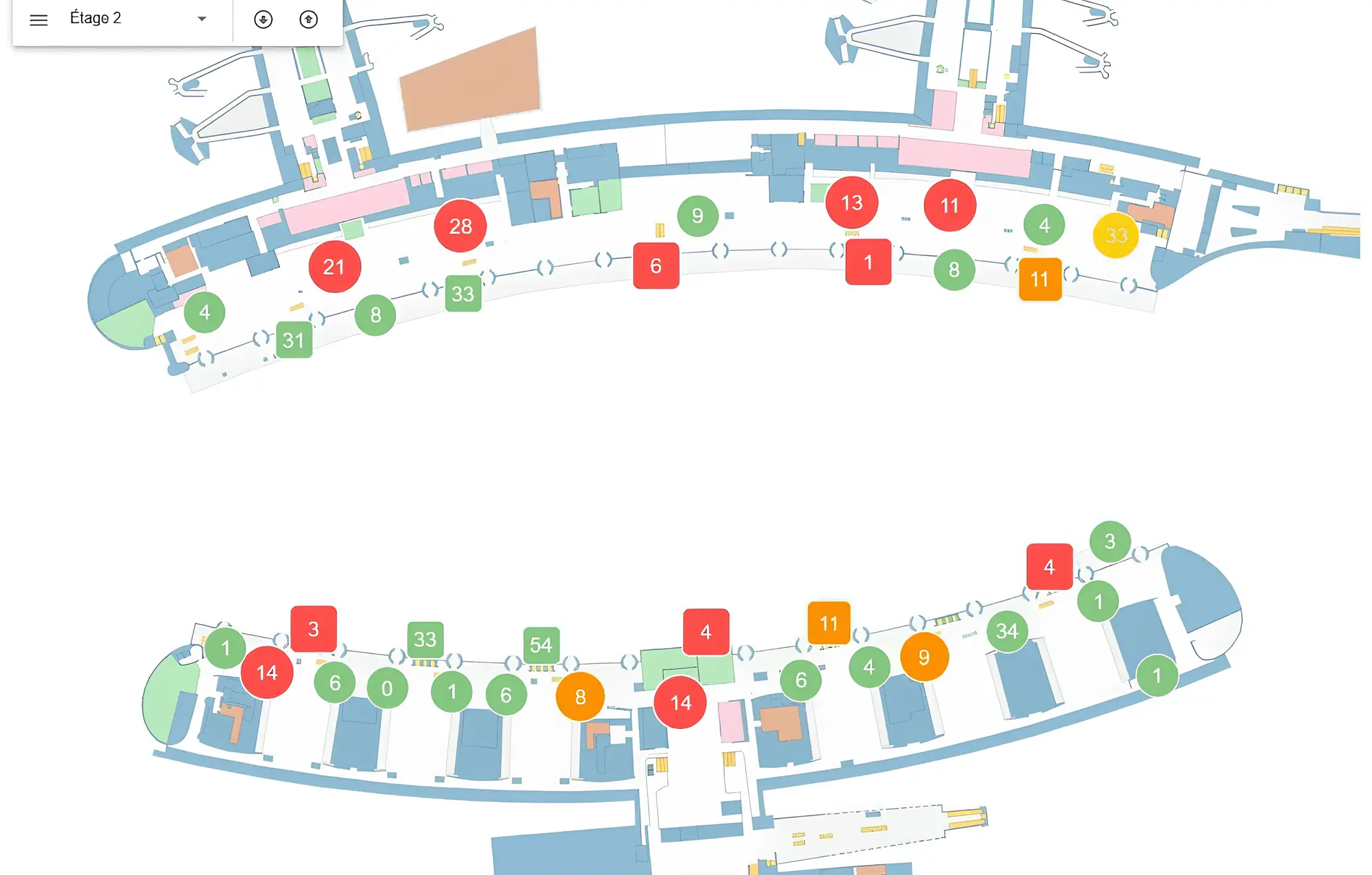
Viewer · live maps & alerts Flow · journey analytics Counting · occupancy Cloud / Server · platform
NAO® Viewer supervision dashboard
The software layer

Five applications, one operational picture

Location only creates value once it's seen, understood and acted on. These five products do exactly that - three applications that put data to work, and a platform that ties them together across every site.

NAO® Track computes location NAO® Cloud / Server orchestrates Viewer / Flow / Counting put it to work
Applications · use the data
Platform · orchestrates & hosts
NAO® Viewer

The operational cockpit of the NAO® Suite

NAO® Viewer is the real-time visualization and supervision interface of the NAO® Suite. Connected to NAO® Track, NAO® Maps and NAO® Cloud / NAO® Server, it turns raw location data into an operational interface that combines maps, dashboards and alerts - giving teams a clear, unified and actionable view of what's happening on the ground.

NAO® Viewer · capabilities

Everything an operator needs, in one interface

From a live map to a role-secured dashboard, NAO® Viewer centralizes real-time visualization, alerts and supervision - so teams can respond faster and stay in control of complex sites.

Real-time cartographic view

Displays the live position of tags, smartphones and equipment on NAO® Maps - across multi-floor, multi-building sites, continuously updated.

Zones, geofences & alerts

Monitor zone occupancy and restricted areas. Alerts from NAO® Track, Mobile SDK or business rules appear in real time - geolocated and contextualized.

Operational dashboards

Aggregates key indicators - location, presence, alerts, activity - into at-a-glance views for safety, asset supervision or flow management.

Live + historical, together

Tightly integrated with NAO® Flow to visualize journeys and movement history on the map - switching between real-time supervision and analysis.

Secure, role-based access

Authenticated accounts and role-based permissions ensure operators, supervisors and admins see only what's relevant to them.

Web-based, zero install

Accessible through standard browsers - no client-side installation, enabling rapid deployment across teams and sites.

Core platform · NAO® Cloud

The control layer that runs it all

NAO® Cloud is the central platform of the NAO® Suite - the control layer that connects infrastructure, location engines and applications. It orchestrates BLE and Wi-Fi data flows and distributes normalized, real-time location data to NAO® Track, NAO® Mobile, NAO® Viewer and NAO® Flow.

NAO® Cloud platform

Centralized RTLS supervision

Configure, monitor and control BLE infrastructure - managing communication between Cisco Spaces, HPE Aruba, Fortinet and NAO® Track, with standardized signal collection.

Integration & data distribution

Exposes location and events via REST APIs and MQTT - connecting to IoT, ERP, CMMS, EHR, BMS and analytics as a single integration point, with no silos.

Web admin via NAO® Viewer

Manage maps, zones and geofences, monitor beacons, tags and users, and define business rules that drive alerts, notifications and API events.

Secure & GDPR-compliant

Encrypted communications (SSL/TLS), authenticated APIs and controlled access - compliant with data-protection regulations including GDPR.

Millions of BLE messages per minute - a scalable, multi-tenant architecture spanning multi-building, multi-site and multi-country deployments.
Flexible deployment models
  • SaaS cloud - rapid deployment and elastic scalability
  • On-premise - for sensitive or sovereignty-constrained environments
  • Hybrid - local control combined with cloud scalability
Application · analytics

NAO® Flow

A secure web application to manage and analyze the movement of BLE tags on assets or people. By leveraging historical position data from NAO® Track, it reveals how people and equipment actually circulate through stages and areas - real behavior, not theory.
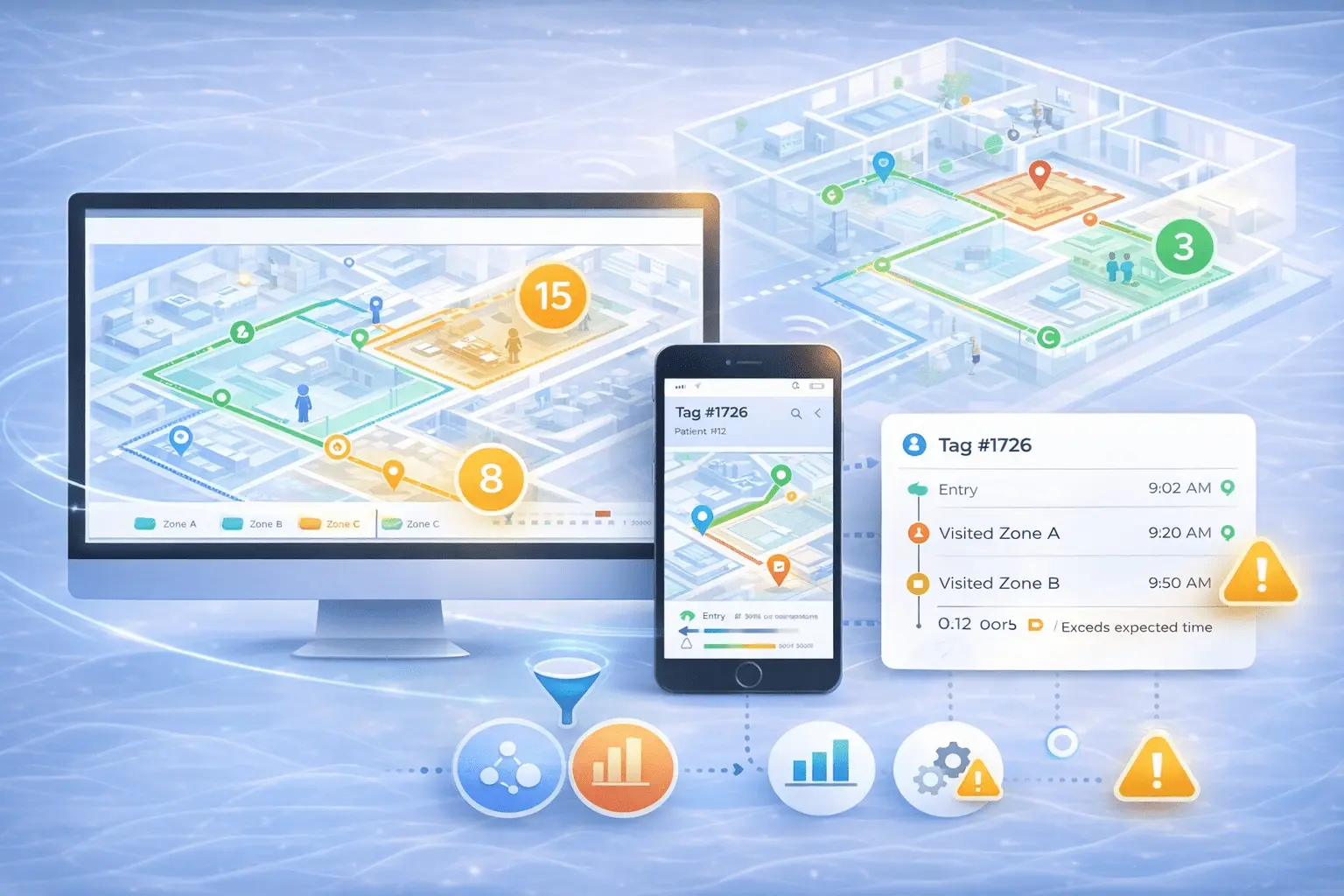
NAO® Flow analytics dashboard

Journey & flow tracking

Supervise logistics and operational flows at the level of a site, department or facility - tracking journeys and sequences of movement.

Anomaly detection

Continuously detects excessive dwell times or unexpected route deviations, generating alerts so staff can take corrective action.

Customizable dashboards

Statistical views and dashboards can be tailored on demand - each organization focuses on the indicators that matter most.

Maps & lists

Associate tags with people or equipment, filter and view them on maps or structured lists, and detach tags at end of journey.

NAO® Viewer built in

NAO® Viewer is integrated by default, providing cartographic visualization of movements and positions inside NAO® Flow.

Flexible deployment

Available as a SaaS platform on AWS or self-hosted with Docker - accessible via standard browsers and secure MQTT APIs.

Deployment SaaS on AWS Self-hosted (Docker) Browser + MQTT APIs
NAO® Counting occupancy dashboard
Application · occupancy

NAO® Counting

An optional capability of the NAO® Suite that counts tracked objects - BLE tags and smartphones - within predefined zones in real time. Each geofence configured in NAO® Cloud or NAO® Server becomes a live occupancy counter - with no additional infrastructure.

Zone-based counting

Dynamically counts how many objects are present in each zone - immediate visibility on occupancy by site, floor or area.

Real-time data access

Available through secure MQTT APIs, visualized in NAO® Viewer, and embeddable in web apps via the NAO® JS SDK.

Activated on demand

Operates natively within the platform and is enabled when required - a quick way to extend location services with occupancy insights.

Access Secure MQTT APIs NAO® Viewer NAO® JS SDK
Platform · on-premise

NAO® Server

NAO® Server is the self-hosted version of NAO® Cloud, for customers and partners who need full control over infrastructure, data governance and operations - eliminating dependency on public cloud and retaining complete ownership of the deployment. It's designed for regulated, sensitive or sovereignty-constrained environments.

Data sovereignty

Keep data and processing fully local - the right fit where sovereignty and local control are mandatory.

Advanced maintenance

Enhanced logging, service restart and version rollback - giving operational teams greater autonomy and responsiveness.

Container-based

Delivered as a bundled package using standard containers (Docker Engine, Compose V2), per the NAO® Server installation guide.

Version policy: deployments should be kept reasonably up to date - support may not cover versions older than the last four public releases, ensuring stability, security and compatibility across the NAO® Suite.

How it fits together

One platform, feeding every application

NAO® Cloud (or NAO® Server on-premise) sits between the location engine and the applications - normalizing data from NAO® Track and distributing it to Viewer, Flow and Counting, while exposing it to your business systems via REST & MQTT.

Data flow · engine → platform → applications & business systems
NAO® Track position engine NAO® Cloud / NAO® Server orchestration & APIs NAO® Viewer visualize & supervise NAO® Flow analyze journeys NAO® Counting count occupancy REST API & MQTT Business systems ERP · CMMS · EHR · BMS · IoT

Explore the NAO® Suite

FAQ

The software layer, answered

What is NAO® Viewer?
NAO® Viewer is the real-time visualization and supervision interface of the NAO® Suite. Connected to NAO® Track, NAO® Maps and NAO® Cloud / NAO® Server, it combines maps, dashboards and geolocated alerts into a single operational cockpit, accessible from a standard web browser.
What's the difference between NAO® Cloud and NAO® Server?
NAO® Cloud is the central platform that orchestrates data and applications, available as SaaS, on-premise or hybrid. NAO® Server is the self-hosted version of NAO® Cloud, designed for organizations that require full local control, data governance and data sovereignty.
How do NAO® Viewer and NAO® Flow work together?
NAO® Viewer is integrated by default within NAO® Flow for cartographic visualization, and Viewer is tightly integrated with Flow so operators can switch between real-time supervision and historical journey analysis on the same maps.
What does NAO® Counting measure?
NAO® Counting counts tracked objects - BLE tags and smartphones - within predefined zones (geofences) in real time, giving live occupancy by site, floor or area, with no additional infrastructure. Data is available via MQTT APIs, in NAO® Viewer, and through the NAO® JS SDK.
How do these applications integrate with business systems?
NAO® Cloud exposes location data and events through REST APIs and real-time MQTT interfaces, connecting to enterprise platforms such as IoT, ERP, CMMS, EHR, BMS and analytics tools - acting as a single integration point to avoid technological silos.
Can NAO® Cloud scale to large, multi-site deployments?
Yes. Its scalable, multi-tenant architecture supports large volumes of real-time data and can handle millions of BLE messages per minute across multi-building, multi-site or multi-country deployments, with each organization operating its own environment.
How is access secured?
NAO® Viewer uses authenticated accounts and role-based permissions, so operators, supervisors and administrators see only what's relevant. Platform communications are encrypted (SSL/TLS) with authenticated APIs and controlled access, compliant with GDPR.
How is NAO® Flow deployed?
NAO® Flow can be deployed as a SaaS platform hosted on Amazon Web Services or self-hosted using Docker containers. It is accessible through standard web browsers and via secure MQTT APIs, and its statistical views and dashboards can be customized on demand.
Do I need to install anything to use NAO® Viewer?
No. NAO® Viewer is web-based and accessible through standard browsers, with no client-side installation - enabling rapid deployment across teams and sites.
Get started

Turn location data into everyday decisions.

See NAO® Viewer, Flow and Counting running on the NAO® Cloud platform - and let our team help you shape the right applications and deployment for your operations.

Scroll to Top